
A Mac cleaner thatasks before it cleans.
Scan the clutter, open every category, and remove only the files you recognize. DiskCleaner moves unwanted items to macOS Trash, so cleanup stays visible and recoverable.

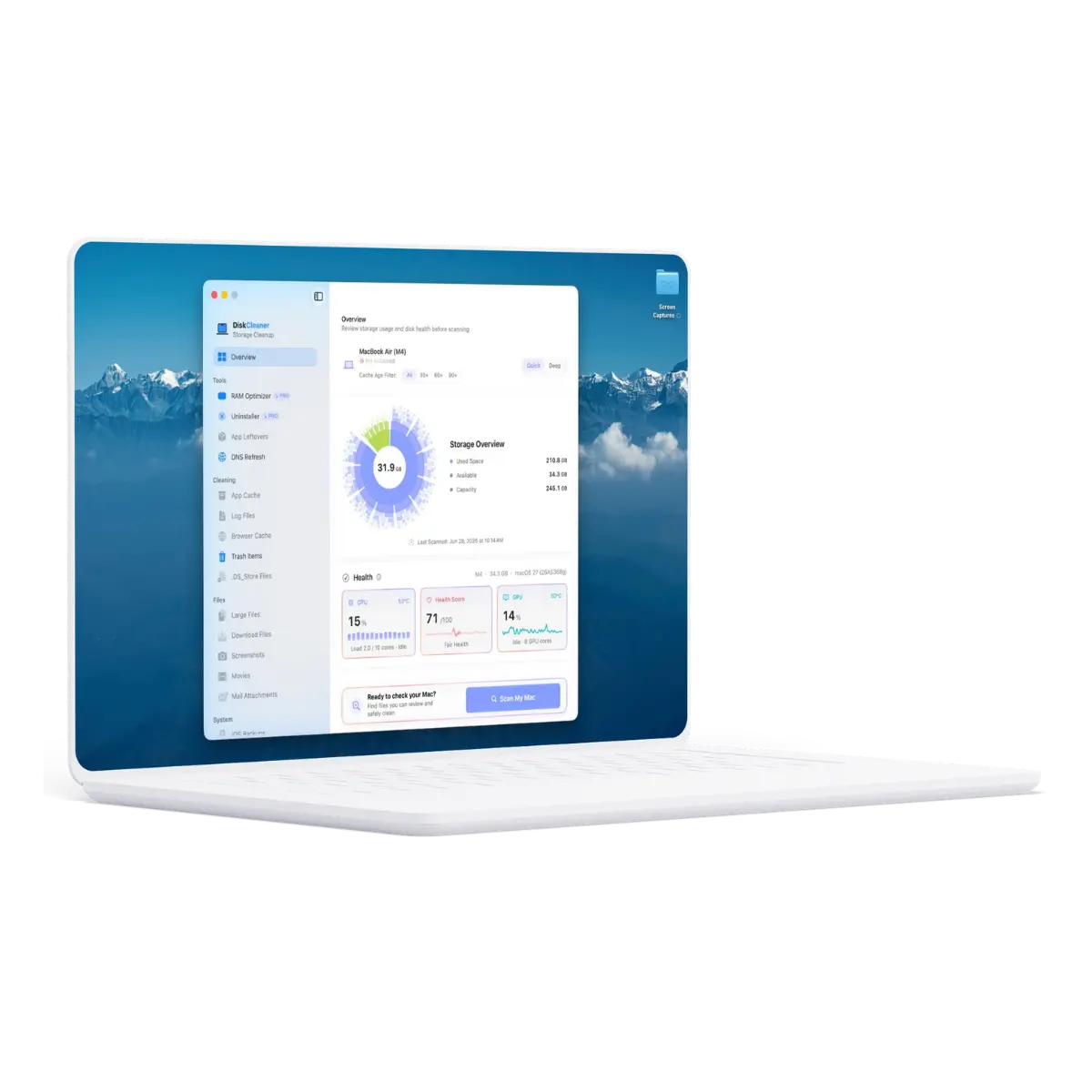
Cleanup should be easy to understand.
DiskCleaner is deliberately less automatic than many cleaner apps. That is the point: storage cleanup is safer when the person using the Mac can see what is about to happen.
You see the files, not just a reclaimed-space number.
Every scan ends with a review. Expand a category, inspect paths and sizes, then uncheck anything you want to keep.
Cleanup uses the Mac safety net already built in.
Normal cleanup moves files to macOS Trash instead of erasing them permanently. If you change your mind, restore them.
Risky findings are treated differently.
Personal files, backups, snapshots, and caution items are never presented as mindless one-click cleanup.
What is taking up space on your Mac?
Choose the problem that sounds familiar. We will show you the safest place to begin.
Start by finding what macOS groups together.
System Data can include caches, logs, local snapshots, developer files, and old support data. DiskCleaner separates those categories so you can review the real files instead of guessing.
Best First Scan: App Cache + System Logs + Developer DataLearn what is taking space. Then decide.
How to free up storage on Mac
A useful order of operations, from obvious clutter to the storage categories macOS makes harder to understand.
Read Guide →ExplainerWhat is System Data on Mac?
Learn what macOS puts in the System Data bucket and which parts are reasonable to review.
Read Guide →Product philosophyWhy Trash-first cleanup matters
Why recoverable cleanup is a better default than silently deleting files forever.
Read Guide →Removing the app is only half the job.
Dragging an app to Trash only removes the app itself. The rest hides quietly in Library folders: caches, preferences, logs, containers, and support files. Drop an app into DiskCleaner to see its full footprint, then choose which leftovers should go.
- Drag any app from /Applications to scan its full footprint.
- Finds caches, preferences, containers, logs, and support files across Library locations.
- Review every leftover file before removal with the same per-file control as cleanup scans.
- App removal and leftover cleanup both go to Trash - fully recoverable.
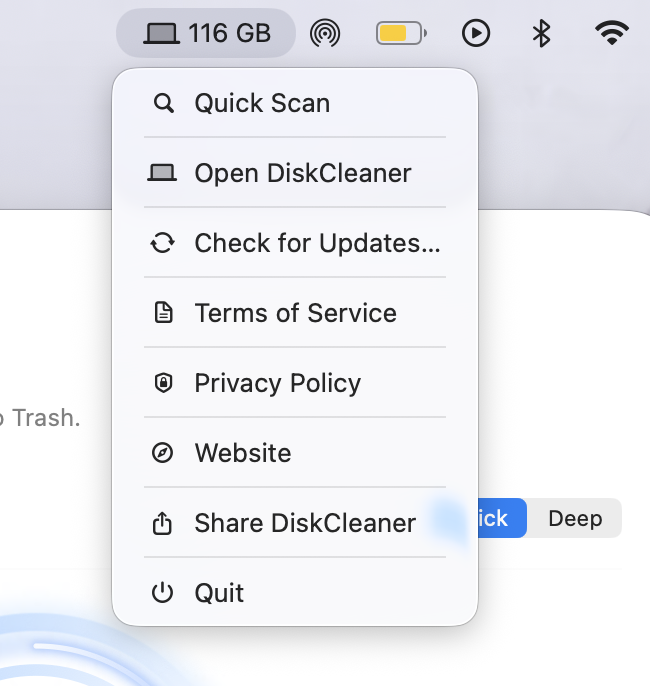
Check free space without stopping your work.
The menu bar view keeps the useful number close: how much space is left. Open DiskCleaner or start a scan when the number begins to look uncomfortable.
- Live free space updated in real time
- Scan and clean from the menu bar
- Update badge and lightweight utilities
What DiskCleaner refuses to do matters too.
Read the Trust Center →It does not silently clean in the background, permanently erase normal cleanup results, upload scan results, or pre-select personal and caution-labeled files.
Download the cleaner free.
Upgrade only if you need the rest.
Free Core Cleaning is included. A $9.99 one-time purchase unlocks every scan category for up to two Macs, including future updates.
Opens as a standard Mac DMG. No account or payment details are required to start Free Core Cleaning.
A small Mac app, built in public.
Product decisions, release notes, and practical Mac storage guides. No Daily Noise.